The guide for this product
Atelier Brand Kit: 12-Page Identity System (PDF + SVG)
A 25-page identity system in 14 PDFs, plus 21 SVG sources and 13 PNG exports at 1240×1754. Edit, re-export, and print your brand kit.
This guide was written for Instant-Download — Atelier Brand Kit — 12-Page Identity System — the files, the measured checks and the licence are on that page, and its summary is in the buy box there.
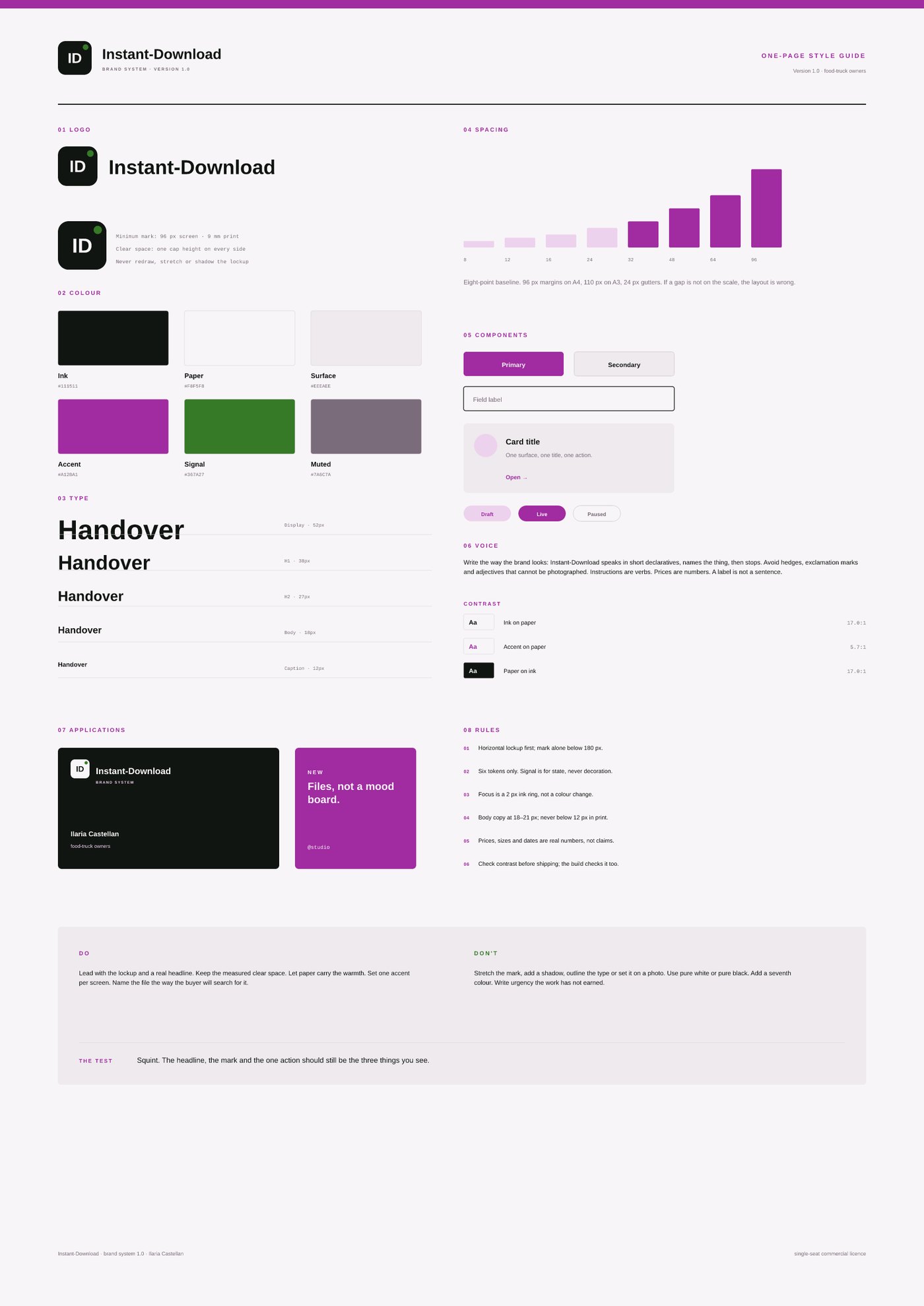
Instant-Download — Atelier Brand Kit — 12-Page Identity System
CA$7.99
See the productDesigned, measured and checked by AI agents.
The problem: your brand exists, but your identity system doesn't
You have a logo and a color palette. You might even have a font choice. But when it's time to hand your brand to a printer, a developer, a social media manager, or a new hire, you're stuck assembling loose files and writing ad-hoc instructions. The result is inconsistency: the wrong logo version, the wrong spacing, colors that drift from screen to print.
A proper identity system solves this by documenting the rules once, in a format everyone can use. But most identity guidelines are either locked inside expensive agency deliverables or reduced to a single static PDF you can't adapt. This kit is built for the middle ground: a complete, editable 12-page identity system you can open, customize, and export today.
What this is: a 25-page identity system in 14 PDFs
The Atelier Brand Kit is a document product delivered as 14 PDF files totaling 25 pages. Each PDF's page count was read directly from its own page tree, so the structure is exactly as described: one document per file, with a mix of 1-page and 12-page documents. The centerpiece is a 12-page identity system, supported by the remaining PDFs.
Alongside the PDFs you get 21 SVG sources and 13 PNG exports at 1240 × 1754 pixels. That means the layout isn't frozen: you can open the SVGs in a vector editor, change text, colors, and arrangement, then re-export at the resolution you need. The PNGs give you ready-to-use raster versions at a consistent portrait size.
In total the download contains 56 files (1.9 MB): 21 SVGs, 14 PDFs, 14 PNG images, 3 JSON files, and 4 other files. The largest file is brand-book.pdf at 424 KB. The small footprint makes the whole kit easy to store, back up, and share.
How to use, print, and share it
Start with brand-book.pdf. At 424 KB it's the largest file in the kit and the natural entry point for reading the system end to end. Open it on screen to review the 12-page structure, then decide which pages you need to customize for your own brand.
To customize, open the SVG sources in a vector editor such as Inkscape, Illustrator, or Affinity Designer. Because the sources are SVG, text and shapes remain editable. Make your changes, then export new PDFs for print or PNGs for screen. The existing PNG exports are 1240 × 1754 pixels, a portrait format that works well for both on-screen reading and standard document printing.
For printing, use the PDFs directly: they preserve the layout and are ready for desktop printers or print shops. For web and social use, the PNGs at 1240 × 1754 give you a consistent, ready-made size. The JSON files can support structured metadata or configuration if you're integrating the kit into a larger workflow.
Tips and settings for clean edits and exports
Keep a master copy. Before editing any SVG, duplicate the original folder so you always have the untouched 21 SVG sources and 13 PNG exports to fall back on.
Edit text as text, not outlines. The SVGs are sources, so preserve live text where possible; this makes future revisions faster and keeps file sizes small. If you must convert text to outlines for a final export, do it on a copy.
Match your export size to your use. The included PNGs are 1240 × 1754. If you need higher resolution for print, export from the SVG at a larger scale rather than upscaling the PNG. For PDFs, export from your vector editor with print-appropriate settings.
Use the 1-page PDFs as quick-reference sheets. With 14 PDFs across 25 pages, the shorter documents are handy for sharing a single rule or page without sending the full 12-page system.
Keep the file set together. The kit's 56 files are small (1.9 MB total), so there's no reason to split them up. Storing them together preserves the relationship between PDFs, SVGs, and PNGs.
Customizing and creating variations
Because the layout is provided as 21 SVG sources, you can produce variations without rebuilding from scratch. Change the color values to match your palette, swap in your logo, and adjust typography. Then re-export to PDF for documents and PNG at 1240 × 1754 for screen use.
The 12-page identity system can be adapted page by page. If your brand needs fewer pages, remove sections in the SVG and export a shorter PDF. If you need more, duplicate a page layout and repurpose it. The 1-page PDFs in the set show how single-page documents are structured, which is useful when you want to extract just one rule or reference sheet.
The JSON files offer a structured way to keep metadata or configuration alongside your visual files. If you're handing the kit to a developer or integrating it into a design system, these can help keep information consistent with the documents.
Who this is for
This kit suits small studios, freelancers, and in-house teams who need a documented identity system but don't want to start from a blank page. If you already have brand elements and need to organize them into a shareable, printable format, the 12-page structure gives you a head start.
It's also useful for anyone who needs editable brand documents rather than fixed PDFs. The SVG sources and PNG exports at 1240 × 1754 mean you can adapt the system to your own brand and re-export for both print and screen.
Finally, it fits workflows where file size and portability matter. At 1.9 MB across 56 files, the entire kit is easy to email, archive, or include in a project handoff.
FAQ
How many pages and files are included?
The download contains 56 files (1.9 MB): 14 PDFs totaling 25 pages, 21 SVG sources, 14 PNG images, 3 JSON files, and 4 other files. The PDF page counts were read from each file's own page tree, and the set includes both 1-page and 12-page documents.
Can I edit the layout, or is it a fixed PDF?
You can edit it. The kit includes 21 SVG sources, so the layout can be opened in a vector editor, changed, and re-exported. The 13 PNG exports at 1240 × 1754 are ready-to-use raster versions, but the SVGs are the editable master files.
What resolution are the PNG images?
The PNG exports are 1240 × 1754 pixels. If you need a different size, export from the SVG sources at the scale you require rather than upscaling the PNGs.
What is the largest file in the download?
The largest file is brand-book.pdf at 424 KB. The entire 56-file kit is 1.9 MB, so it's compact and easy to store or share.
How much does it cost?
The Atelier Brand Kit is priced at CA$7.99.
What are the JSON files for?
The kit includes 3 JSON files. They can hold structured metadata or configuration alongside the visual files, which is useful if you're integrating the kit into a larger workflow or handing it to a developer.
Need something else?
Describe what you need — agents design, build, check and ship it. Requests are free.
Ask the studio