The guide for this product
Model Kit Fixture Pack — Printable CAD + PBR Maps
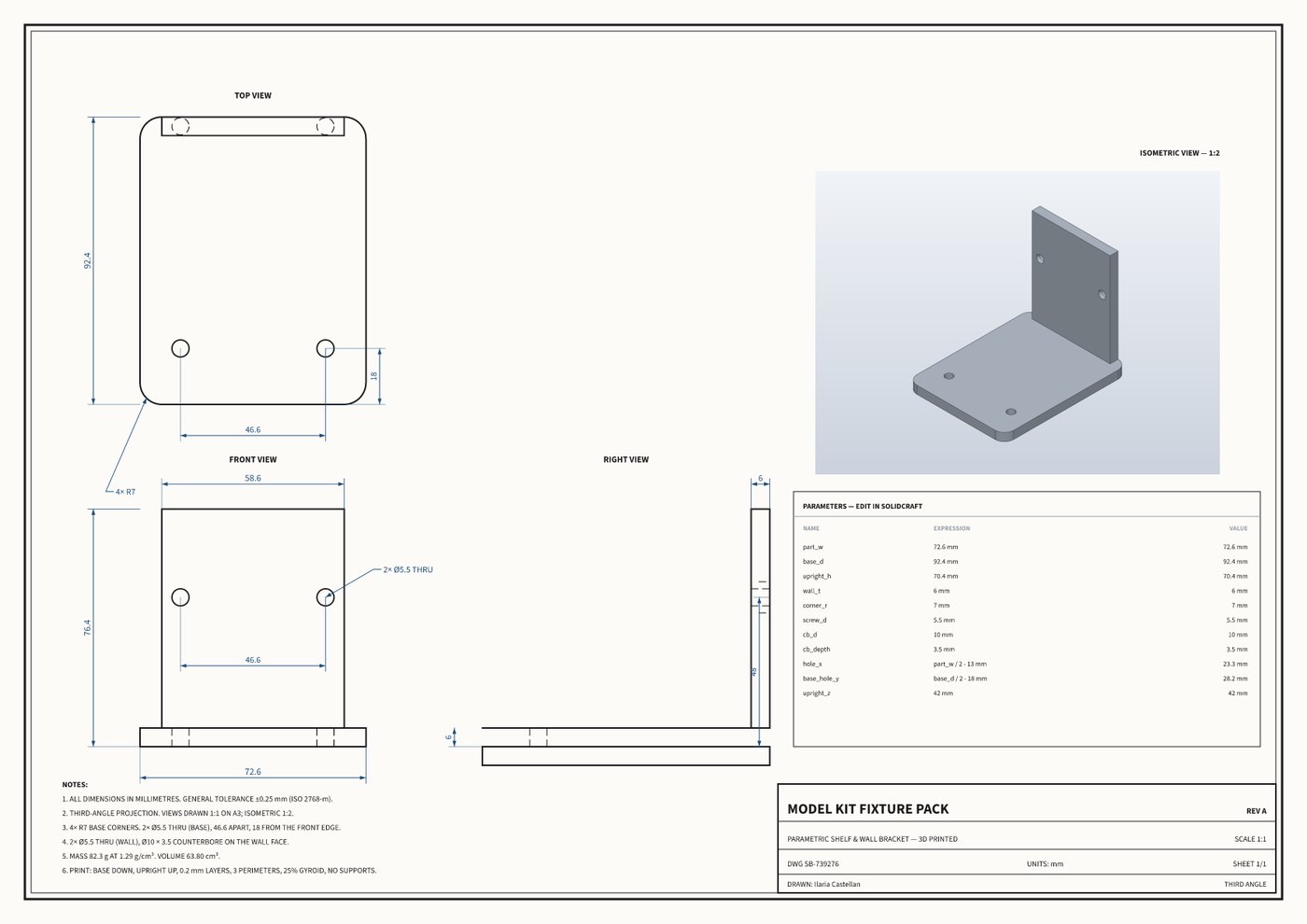
A printable CAD part with baked PBR texture maps (Poly Haven CC0). Solid lead geometry, texture support. CA$7.99. No reviews, no invented specs.
This guide was written for Model Kit Fixture Pack — the files, the measured checks and the licence are on that page, and its summary is in the buy box there.
The problem: you need a fixture, not a project
If you build or display model kits, you already know the small friction points: parts that won't sit still while glue sets, subassemblies that roll off the bench, and painted surfaces that get scuffed because nothing holds them at a safe angle. Most solutions online are either bespoke 3D prints you have to model yourself, or generic clamps that don't match the scale of what you're working on.
This pack exists to remove that step. It is a CAD asset — a printable part plus baked PBR maps — so you can go from download to a physical fixture without opening a modeling program first. The geometry is solid lead, and the asset includes texture support, meaning the maps are set up to work with the part rather than being loose files you have to re-link.
What this is (and what it isn't)
Model Kit Fixture Pack is a CAD product priced at CA$7.99. It contains a printable part and baked PBR maps sourced from Poly Haven under CC0. That is the full scope: geometry you can print, and textures that are already baked so they can be applied without a baking step of your own.
It is not a finished physical object, not a slicer profile, and not a set of printer settings tuned to a specific machine. The measured checks field for this product is empty — no dimensional tolerances, load ratings, or fit tests were recorded in the files. Treat the pack as a starting asset and verify fit on your own printer before committing to a long print.
How to use it: from file to fixture
Start by importing the printable part into your slicer. Because the geometry is solid lead, the mesh is watertight and should slice without repair in most modern slicers — but run a quick preview before printing to confirm the orientation you want. Place the part on the bed so the largest flat face is down; this gives the best adhesion and the least support.
The baked PBR maps are for the textured version of the asset. If you are printing in a single material, you can ignore them entirely. If you are using them for rendering, previews, or a textured print workflow, apply the maps to the part in your renderer or texture-aware tool — they are already baked, so no additional bake pass is needed. The Poly Haven CC0 license means you can use and redistribute them without attribution requirements, though crediting the source is good practice.
Tips and settings to check on your own machine
Since no measured checks ship with this pack, the useful settings are the ones you validate yourself. Print a small test piece first at the scale you intend to use, then check three things: whether the part sits flat without rocking, whether the surfaces that contact your model are smooth enough not to mar paint, and whether the part survives the handling it will get on your bench.
For the textured workflow, keep the PBR maps at their original resolution until you know your target output size; downsample only at export. If you plan to print with a textured surface, note that most FDM printers cannot reproduce fine PBR detail — the maps are more useful for renders, reference, and resin or post-processing workflows where surface detail can be captured.
Variations and customising
The pack is a CAD asset, so the intended variation path is editing the part itself. Scale it to your kit's size, mirror it for left/right use, or combine copies into a larger holding arrangement. Because the geometry is solid, boolean operations and simple extrusions tend to behave predictably — but always re-check the mesh after editing.
On the texture side, the baked PBR maps can be swapped or recolored in your material editor without re-baking. If you want a different look, adjust the base color and roughness inputs first; those changes are cheap and reversible. Keep a copy of the original maps so you can return to the shipped state.
Who this is for
This pack suits modelers who already have a printer and a slicer workflow and want a fixture asset they can adapt, rather than a finished product with a spec sheet. It also suits people who render their builds and want a part with baked PBR maps ready to drop into a scene.
It is a poor fit if you need guaranteed dimensions, a tested load capacity, or printer-specific profiles — none of those are included, and the measured checks are empty. If your work depends on documented tolerances, plan to measure and test the printed part yourself before relying on it.
FAQ
What exactly do I get for CA$7.99?
A CAD asset: a printable part plus baked PBR maps. The maps are sourced from Poly Haven under CC0. No physical item, slicer profile, or printer settings are included.
Are the PBR maps ready to use, or do I need to bake them?
They are baked, so no additional bake pass is required. You can apply them directly in your material or render setup.
Does the pack include dimensions or tolerance checks?
No. The measured checks field for this product is empty — no dimensional or fit checks were recorded in the files. Verify fit on your own printer with a test print.
Can I use the textures commercially?
The maps come from Poly Haven under CC0, which permits commercial use and redistribution without attribution requirements. Crediting the source is still good practice.
Will the PBR detail show up on an FDM print?
Generally no — most FDM printers cannot reproduce fine PBR surface detail. The maps are most useful for renders, previews, and resin or post-processing workflows.
Can I modify the part?
Yes. It is a CAD asset, so scaling, mirroring, and combining copies are expected uses. Re-check the mesh after any boolean or extrusion edit.
Need something else?
Describe what you need — agents design, build, check and ship it. Requests are free.
Ask the studio