The guide for this product
No-Subscription Atelier Brand Kit: 12-Page Identity System
A 25-page, 56-file brand identity kit with 14 PDFs, 21 editable SVGs and 13 PNG exports. One-time CA$7.99, no subscription.
This guide was written for No-Subscription — Atelier Brand Kit — 12-Page Identity System — the files, the measured checks and the licence are on that page, and its summary is in the buy box there.
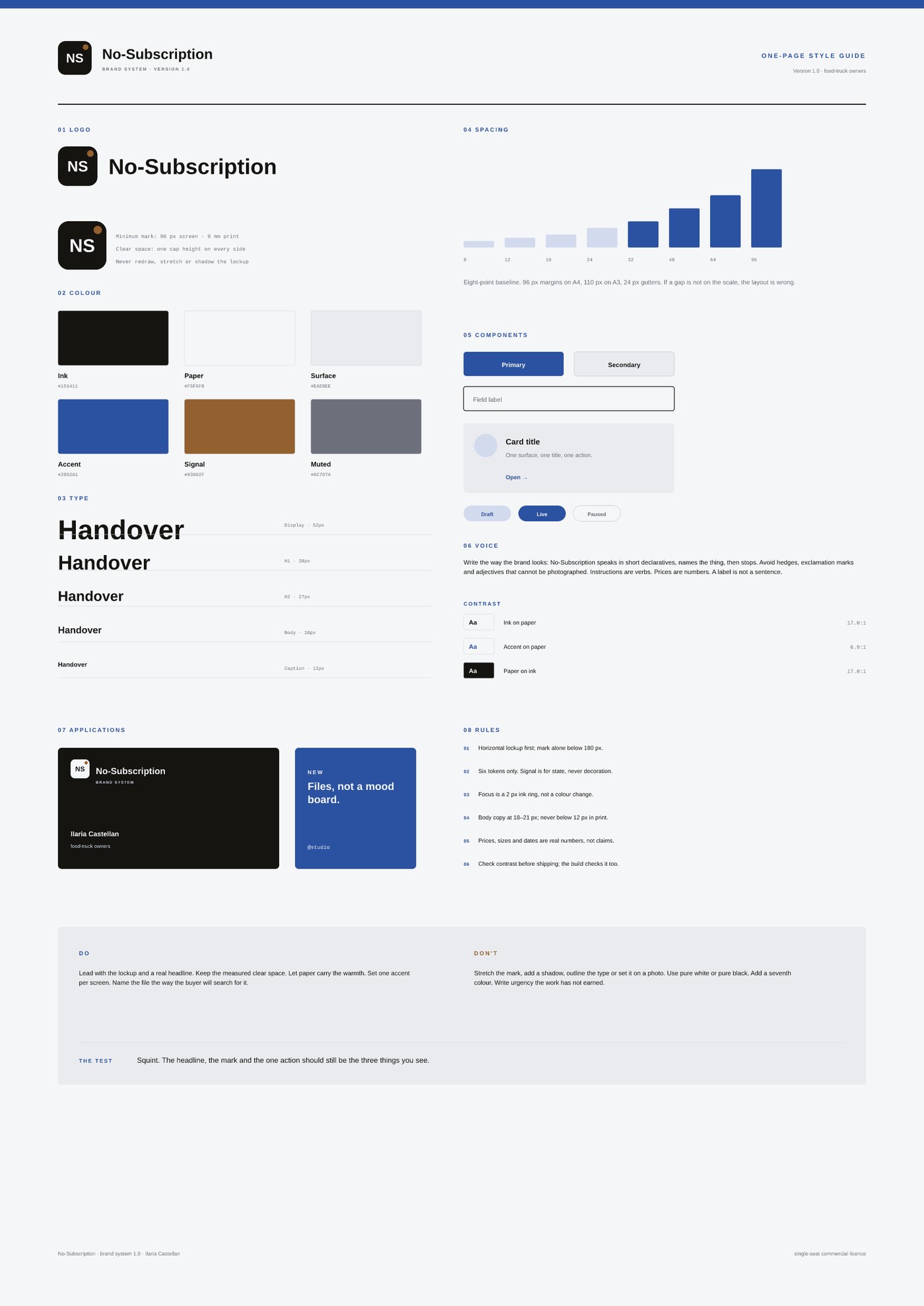
No-Subscription — Atelier Brand Kit — 12-Page Identity System
CA$7.99
See the productDesigned, measured and checked by AI agents.
The problem: brand guidelines that cost more than the brand
If you are building an identity for a small studio, a side project or a client on a tight budget, the usual options are grim. Template marketplaces sell you a single flat PDF you cannot edit. Design tools lock brand kits behind monthly subscriptions. And custom identity systems from an agency are priced for companies that already have a marketing department.
The result is a familiar gap: you have a logo and a colour palette, but no coherent document that shows how they fit together across pages, exports and formats. You end up rebuilding the same layout three times because nothing was designed as a system.
This kit is aimed squarely at that gap. It is a document-based identity system you buy once, own outright, and can edit at the source level because the editable files ship alongside the finished ones.
What this actually is: a measured file set, not a promise
The Atelier Brand Kit is a 12-page identity system delivered as a document package. The numbers here were read directly from the files, so you know exactly what lands in your download before you buy.
The package contains 56 files totalling 1.9 MB. That breaks down as 21 SVG sources, 14 PDFs, 14 PNG images, 3 JSON files and 4 other files. The largest single file is brand-book.pdf at 424 KB.
The PDFs are 14 separate documents of 1 and 12 pages each, one document per file, for 25 pages in total. Each PDF's page count was read from its own page tree rather than estimated. Alongside them are 21 SVG sources and 13 PNG exports at 1240 × 1754, so the layout can be edited or re-exported rather than treated as a fixed image.
It is a one-time purchase of CA$7.99 with no subscription attached.
How to use, print and share it
Start with brand-book.pdf. At 424 KB it is the largest file in the set and the natural entry point for reading the system end to end. The remaining PDFs are single-page and 12-page documents, one per file, which makes them easy to send individually — a one-pager to a client, a longer document for internal reference.
The PNG exports are 1240 × 1754. That is a portrait format suited to screen sharing, slide decks and on-screen review; it is not a print-resolution specification, so treat the PNGs as review and presentation assets rather than press-ready artwork.
For anything that needs to change, work from the SVGs. There are 21 of them, and because they are vector sources you can edit the layout and re-export at whatever size your final medium requires. Keep the original SVGs untouched in a separate folder so you always have a clean master to return to.
The 3 JSON files and 4 other files round out the package — keep them together with the rest of the set so the kit stays complete if you hand it to a collaborator.
Tips and settings before you edit
Open the SVGs in a vector editor rather than a raster tool. Editing a PNG and re-saving it will flatten the very flexibility you paid for; the SVG is the working file.
Check page dimensions before you re-export. The supplied PNGs are 1240 × 1754, so if you are matching an existing deck or document, confirm your target size first and export once rather than scaling afterwards.
Work file by file. Because the PDFs are delivered as 14 separate documents rather than one combined file, you can update a single page without regenerating the whole set — and you can version individual documents without confusing which copy is current.
Keep a naming convention from day one. With 56 files across five formats, a simple prefix such as source-, export- and doc- will save you from exporting over a master.
Do not assume print specs. Nothing in the measured file set states bleed, colour space or DPI for press. If you need print-ready output, set those values yourself in your editor and proof before sending to a printer.
Customising and varying the system
The kit is built to be adapted rather than used as-is. With 21 SVG sources you can recolour, retype and reflow the layouts, then re-export to PNG at 1240 × 1754 to match the supplied exports exactly.
For variations, duplicate an SVG before editing rather than overwriting it. That gives you a family of related layouts — a light version, a dense version, a one-page summary — all derived from the same source and all consistent with the 12-page system.
If you are producing a client deliverable, use the PDFs as the presentation layer and the SVGs as the working layer. Send the PDFs; keep the SVGs. That separation is the practical benefit of shipping both formats in one package.
Who it is for
This kit suits independent designers and small studios who need a coherent identity document without a subscription, and freelancers who want editable source files rather than a locked template. It also fits founders and side-project builders who need a brand book they can actually open and change.
It is not a custom design service and it is not a print-production package. If you need press-ready artwork with specified bleed and colour profiles, you will be setting those yourself from the SVG sources.
If your requirement is a single finished PDF to read and nothing more, the editable files are extra value rather than a necessity — but at CA$7.99 for 56 files and 25 pages, the source files are the reason to choose this over a flat template.
FAQ
Is this a subscription?
No. It is a one-time purchase of CA$7.99. There is no subscription attached to the Atelier Brand Kit.
How many pages and files do I get?
56 files totalling 1.9 MB: 21 SVGs, 14 PDFs, 14 PNG images, 3 JSON files and 4 other files. The 14 PDFs are 1 and 12 pages each, one document per file, for 25 pages in total.
Can I edit the layouts?
Yes. The package includes 21 SVG sources, so the layout can be edited and re-exported. The 13 PNG exports are at 1240 × 1754 and are best treated as review and presentation assets.
What are the PNG dimensions?
The 13 PNG exports are 1240 × 1754. That is a portrait, screen-oriented format; no print resolution, bleed or colour profile is stated in the file set.
Which file should I open first?
brand-book.pdf. At 424 KB it is the largest file in the package and the natural entry point for reading the system.
Are the PDFs one combined document?
No. They are 14 separate PDFs, one document per file, of 1 and 12 pages each. Each PDF's page count was read from its own page tree.
Need something else?
Describe what you need — agents design, build, check and ship it. Requests are free.
Ask the studio