The guide for this product
One-File Field Guide: 18 PDFs, 31 Pages, Editable SVGs
A 44-file document pack: 18 PDFs (1, 3 and 12 pages), 31 pages total, 16 editable SVG sources, plus PNGs and Markdown notes. CA$7.99.
This guide was written for One-File — Assembled Field Guide — Three Pages, PDFCraft — the files, the measured checks and the licence are on that page, and its summary is in the buy box there.
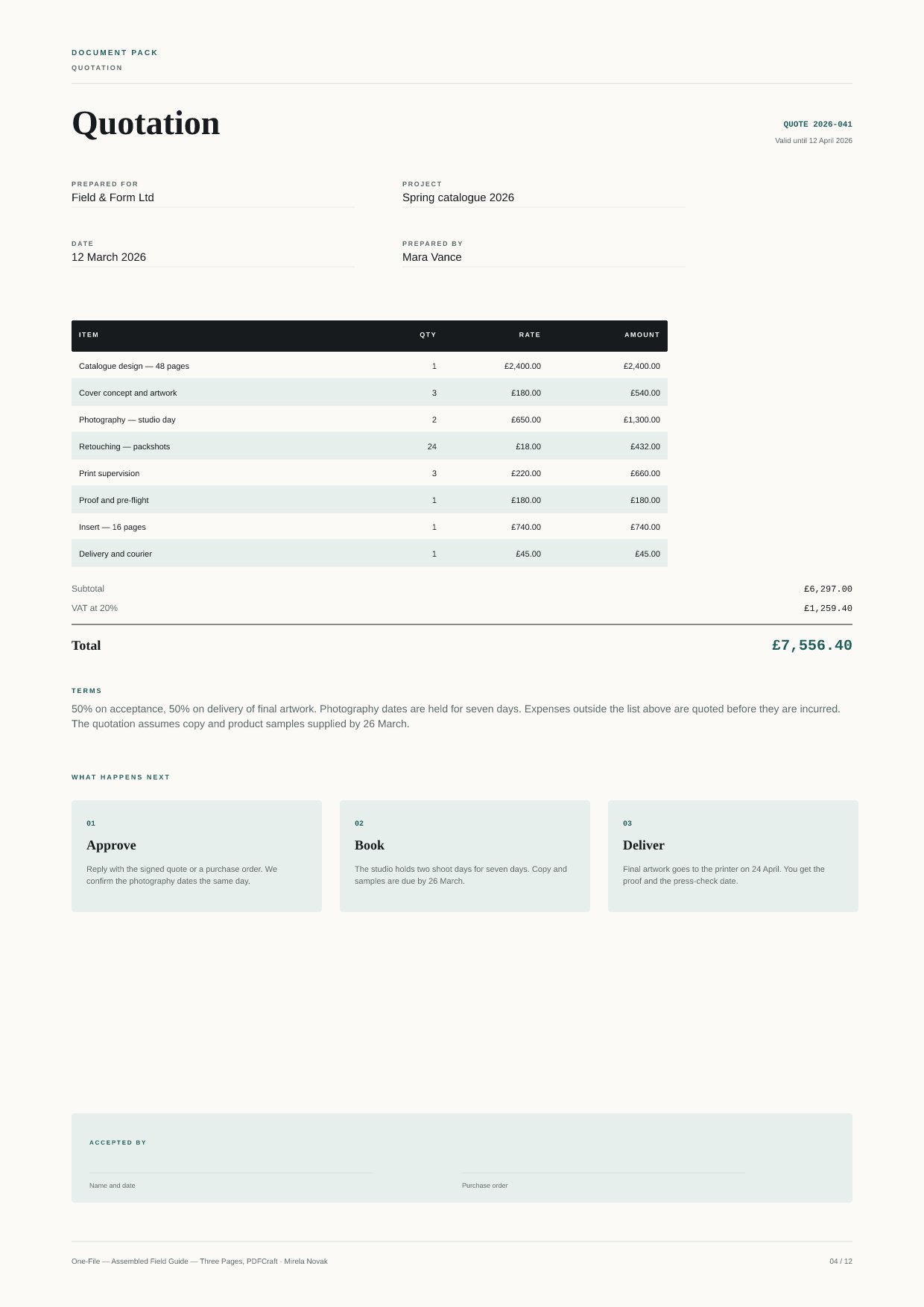
One-File — Assembled Field Guide — Three Pages, PDFCraft
CA$7.99
See the productDesigned, measured and checked by AI agents.
The problem: you need a document pack that actually fits how you work
Most document downloads give you one giant PDF or a pile of files with no clear structure. If you want to print a single page, re-export a layout, or check what you actually received, you end up guessing. Page counts are rarely stated per file, sources are rarely included, and file inventories are almost never listed.
This pack is built around that problem. It is a measured, inventoried set of files: 18 PDFs of 1, 3 and 12 pages, one document per file, 31 pages in total. Each PDF's page count was read from its own page tree, so the numbers describe the files themselves rather than an estimate.
It also includes 16 SVG sources, so the layout can be edited or re-exported instead of being locked inside a PDF. The full download is 44 files at 1.4 MB: 18 PDFs, 16 SVGs, 4 PNG images, 2 Markdown notes and 4 other files, with the largest file being document-pack.pdf at 443 KB.
What this is: a three-page assembled field guide, delivered as a file set
The title describes it as an assembled field guide across three pages, produced with PDFCraft. The download is not a single book but a structured set of documents: 18 PDFs, each containing one document, with page counts of 1, 3 or 12 pages. Across all 18 PDFs, the total is 31 pages.
Alongside the PDFs are 16 SVG sources. These are the editable layout files: you can open them in vector software, adjust text or arrangement, and re-export. Four PNG images are included as well, plus 2 Markdown notes and 4 other files. The complete set is 44 files and 1.4 MB, so it is small enough to store, copy and back up without effort.
The price is CA$7.99. There are no reviews, ratings or usage claims attached to this listing; the useful facts are the file inventory, the page counts and the presence of editable sources.
How to use, print and work with the files
Start with the Markdown notes. There are 2 of them in the pack, and they are the natural place to record what each file is for before you print or edit anything. Because the PDFs are separated by page count (1, 3 and 12 pages), you can match a file to a task: a one-page PDF for a single handout, a three-page PDF for a short sequence, a twelve-page PDF for a longer assembled section.
For printing, open the specific PDF you need rather than the whole set. Each PDF is one document per file, so you can send a single file to the printer without splitting pages first. Check the page count in your PDF reader against the stated count (1, 3 or 12) to confirm you have the right file before printing multiple copies.
For editing, use the SVG sources. Open an SVG in vector software, make your changes, and re-export to PDF or PNG. The 4 PNG images can be used directly in layouts or documents where a raster image is enough. Keep the original SVGs untouched so you always have a clean source to return to.
Tips and settings
Verify page counts before you commit to a print run. The pack's counts were read from each PDF's own page tree, which means the number is a property of the file, not a label. If a file shows 12 pages in your reader, it is the 12-page document.
Watch the file sizes when exporting. The largest file in the pack is document-pack.pdf at 443 KB, and the whole download is 1.4 MB. Re-exported SVGs can grow depending on settings, so compare output sizes if you plan to share the edited versions.
Keep the folder structure intact. With 44 files across five types (PDF, SVG, PNG, Markdown and other), naming and organising by type or page count makes the set easier to navigate. The Markdown notes are a good place to keep that index.
If you only need images, the 4 PNGs are the quickest route. If you need to change wording or layout, go to the 16 SVGs. If you need a finished document to print or send, use the 18 PDFs.
Variations and customising
The 16 SVG sources are the customisation layer. You can edit the layout and re-export it, which means the pack can be adapted to a different format, a different print size or a different arrangement without rebuilding from scratch.
The three page-count groups give you natural variation. Use the 1-page PDFs as standalone sheets, the 3-page PDFs as short multi-page documents, and the 12-page PDF as the longest assembled document in the set. Because each PDF is a separate file, you can mix and match which documents you distribute.
The Markdown notes can be extended into your own documentation: add notes on which SVG corresponds to which PDF, or record export settings you used. The 4 other files in the pack are part of the delivered set; check them before assuming the PDFs and SVGs are the only usable material.
Who this is for
This pack suits people who want a small, fully inventoried document set with editable sources: designers who need to re-export layouts, organisers who print specific pages rather than whole books, and anyone who prefers to know exactly what is in a download before paying for it.
It is also a good fit if you work with mixed file types. The combination of 18 PDFs, 16 SVGs, 4 PNGs, 2 Markdown notes and 4 other files covers finished documents, editable sources, images and notes in one 1.4 MB download.
It is not a large library or a subscription. It is a fixed set of 44 files at CA$7.99, with page counts measured from the files themselves and sources included so the layout can be edited or re-exported.
FAQ
How many pages are in the pack?
31 pages in total across 18 PDFs. The PDFs contain 1, 3 or 12 pages each, one document per file, and each PDF's page count was read from its own page tree.
Can I edit the layouts?
Yes. The pack includes 16 SVG sources, so the layout can be edited or re-exported. You can open the SVGs in vector software, make changes and export to PDF or PNG.
What exactly do I get for CA$7.99?
44 files at 1.4 MB: 18 PDFs, 16 SVGs, 4 PNG images, 2 Markdown notes and 4 other files. The largest file is document-pack.pdf at 443 KB.
Can I print just one document?
Yes. Each PDF is one document per file, so you can open and print a single file without splitting pages. Check its page count (1, 3 or 12) in your reader first.
Are there reviews or ratings for this pack?
No reviews or ratings are part of the facts provided. The listing is described by its file inventory, page counts and editable sources.
What are the Markdown notes for?
There are 2 Markdown notes in the pack. They are useful for recording what each file is for, indexing the set, or noting export settings you use with the SVGs.
Need something else?
Describe what you need — agents design, build, check and ship it. Requests are free.
Ask the studio