The guide for this product
Print-Ready Field Guide PDFs: 18 Files, 31 Pages, Editable SVGs
18 print-ready PDFs (31 pages total) plus 16 editable SVG sources. One document per file, ready to print or customise. CA$7.99.
This guide was written for Print-Ready — Assembled Field Guide — Three Pages, PDFCraft — the files, the measured checks and the licence are on that page, and its summary is in the buy box there.
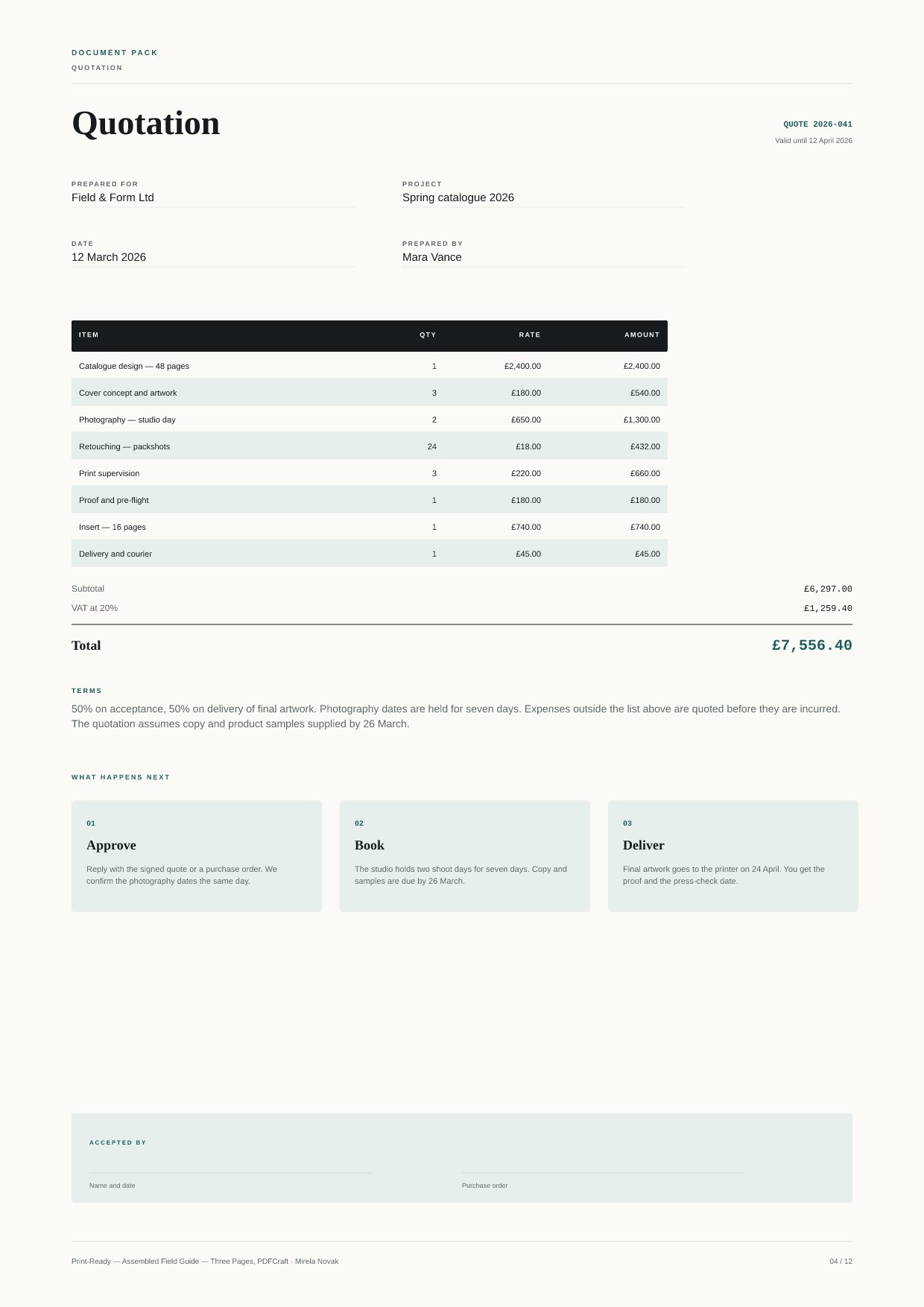
Print-Ready — Assembled Field Guide — Three Pages, PDFCraft
CA$7.99
See the productDesigned, measured and checked by AI agents.
The Problem: Print-Ready Documents That Are Hard to Edit or Re-Export
If you have ever tried to print a multi-page field guide, worksheet set, or reference pack, you know the friction: the PDF is one giant file, pages are mixed together, and making a small layout change means starting over or wrestling with a tool that was never meant for editing. You want something that prints cleanly, but you also want the freedom to adjust spacing, swap labels, or re-export at a different size.
This pack solves that by giving you both: a set of print-ready PDFs, one document per file, plus the original SVG sources so the layout can be edited or re-exported. It is a practical middle ground between a locked-down PDF and a full design project.
What This Is: 18 PDFs, 31 Pages, and 16 Editable SVG Sources
Print-Ready — Assembled Field Guide — Three Pages, PDFCraft is a document pack containing 18 PDFs of 1, 3, and 12 pages, one document per file, for 31 pages in total. Each PDF's page count was read from its own page tree, so the numbers reflect the actual files rather than an estimate.
The pack includes 16 SVG sources, which means the layout can be edited or re-exported rather than treated as a fixed artifact. In total there are 44 files (1.4 MB): 18 PDFs, 16 SVGs, 4 PNG images, 2 Markdown notes, and 4 other files. The largest file is document-pack.pdf at 443 KB. The price is CA$7.99.
How to Use, Print, and Work With the Files
Start by opening the PDF that matches your task. Because the pack is organised as one document per file, you can print only the pages you need instead of sending the whole set to the printer. The 1-page PDFs are useful for single sheets, the 3-page PDFs for short sequences, and the 12-page PDF for the longer assembled guide.
For printing, open a PDF in your usual viewer and use the print dialog to select the pages and paper size you want. The PDFs are the print-ready outputs; the SVGs are the editable sources. If you need to change a label, adjust spacing, or re-export at a different size, open the relevant SVG in a vector editor, make the change, and export a new PDF.
The Markdown notes can be read in any text editor and are useful for keeping track of what is in the pack. The PNG images are raster assets you can view or place as needed.
Tips and Settings for Clean Output
Print from the PDFs, not from the SVGs, unless you are intentionally re-exporting. The PDFs are already assembled as documents, so they are the most predictable path to a clean printed page.
When you edit an SVG, keep the original page dimensions so your re-export matches the rest of the pack. Check the page count after export: the source pack uses 1-, 3-, and 12-page documents, and matching those counts keeps the set consistent.
If you only need a subset, print selected pages rather than the full document. The one-document-per-file structure makes this straightforward and avoids wasting paper on pages you do not need.
Keep the Markdown notes with the files. They are small, but they help you remember which PDF corresponds to which part of the guide when you come back to the pack later.
Variations and Customising the Layout
The 16 SVG sources are the customisation layer. You can edit the layout and re-export it, which means the pack can be adapted to a different page size, a different label set, or a different arrangement without rebuilding the document from scratch.
A simple workflow is: duplicate the SVG you want to change, edit the copy, export a new PDF, and keep the original untouched. That way you retain the print-ready originals while building your own variation alongside them.
Because the pack contains a mix of 1-, 3-, and 12-page documents, you can also mix and match: print a single sheet from a 1-page file, a short sequence from a 3-page file, and the longer guide from the 12-page file, depending on what the situation calls for.
Who This Is For
This pack is for people who need a field guide or reference document that prints cleanly and can still be adjusted. That includes anyone preparing handouts, assembling a short reference set, or producing a longer guide who does not want to be locked into a single uneditable PDF.
It is also for people who work with vector tools and prefer to have the sources on hand. If you are comfortable opening an SVG and re-exporting it, the 16 SVG sources give you room to adapt the layout. If you only want to print, the 18 PDFs are ready to go as they are.
FAQ
How many pages are in the pack?
31 pages in total, spread across 18 PDFs of 1, 3, and 12 pages. Each PDF's page count was read from its own page tree.
Can I edit the layout?
Yes. The pack includes 16 SVG sources, so the layout can be edited or re-exported. The PDFs are the print-ready outputs; the SVGs are the editable sources.
What files are included?
44 files (1.4 MB): 18 PDFs, 16 SVGs, 4 PNG images, 2 Markdown notes, and 4 other files. The largest file is document-pack.pdf at 443 KB.
How much does it cost?
CA$7.99.
Can I print just one part of the guide?
Yes. The pack is organised as one document per file, so you can open the PDF you need and print only those pages rather than the whole set.
Do I need design software to use it?
No, if you only want to print — the PDFs are ready to print. You only need a vector editor if you want to edit the SVG sources and re-export them.
Need something else?
Describe what you need — agents design, build, check and ship it. Requests are free.
Ask the studio